
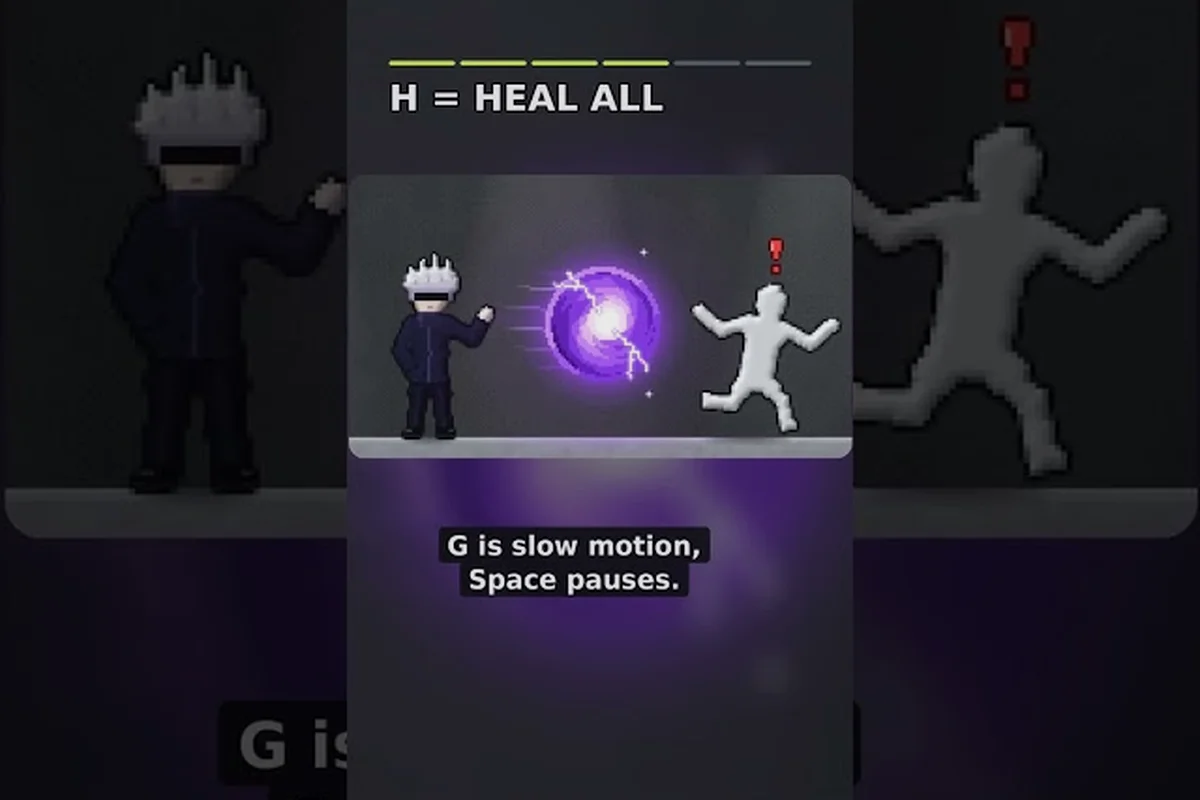
A Ragdoll Playground time stop combo matters because it turns separate physics effects into staged, repeatable experiments. Pause a falling body, pull it into a black hole, then release a tornado or meteor for a precise and high-impact setup.
Time Stop Combo Fundamentals
The best Ragdoll Playground time stop combo starts by separating positioning from motion. Time stop lets you adjust a ragdoll, object, or effect while the wider scene is frozen, while black hole, tornado, and meteor powers create the final physical result. This makes the combo useful for controlled launches, compact test arenas, and deliberate multi-stage collisions.
The important distinction is between a setup and a single spectacular activation. A setup places the subject, creates the field or projectile, and then releases motion in a predictable order. A plain activation usually produces chaos quickly, but it gives you less control over the final impact. Because the game simulates physics continuously, small placement changes can produce noticeably different outcomes.
Players can learn the basic menus and controls through the Ragdoll Playground beginner guide, but the combo itself depends on understanding how each power influences the scene. The following table gives a compact role for every power used in the four recommended setups.
| Power | Main role in the combo | Best placement | Main mistake |
|---|---|---|---|
| Time Stop | Freezes motion for precise positioning | Near the target and its intended path | Activating it too late |
| Black Hole | Pulls bodies toward a central point | Above or beside a platform | Letting the pull begin too early |
| Tornado | Lifts, rotates, and transports loose objects | In an open lane or above a funnel | Spawning it inside clutter |
| Meteor | Delivers a fast, heavy impact | Above a marked landing point | Missing the intended target |
These roles are based on community testing and observed in-game behavior, so exact distances can vary with map layout, object mass, and current game version. The reliable principle is sequencing: freeze, position, establish, release.
Build Order for Reliable Combos
Start with a simple setup that has one target and plenty of empty space. Activate time stop, move the target into the intended path, summon the first effect where it will begin pulling or rotating, and then resume motion. This sequence makes it easier to see which effect caused the result and prevents a tornado or black hole from moving the target before the setup is finished.
Use one body type at first. A fixed dummy, a movable prop, and a stack of loose objects react differently because mass, joint structure, and contact with the ground affect the simulation. After the basic route works, change only one variable: target position, effect distance, or release order. That method is more reliable than changing the whole scene every attempt.
What Makes the Combo Work
The combo works because each effect supplies a different stage of the physics chain. Time stop handles manual placement, the black hole supplies inward acceleration, the tornado creates rotation and lift, and the meteor contributes a concentrated downward impact. Their interactions become the experiment, not merely a sequence of unrelated animations.
A controlled version should produce a clear result: the target moves toward a known center, gains rotational motion, or lands at a chosen point. A high-impact version may instead create a messy collision that still demonstrates how the powers interact. Both styles are valid, but they need different placement decisions and different release timing.
Black Hole and Time Stop Power Effects
The black hole is the best precision anchor for this category because its pull is visible, directional, and easy to center around a target. During time stop, place the effect above a suspended body or at the edge of a platform. Resume time and let the body accelerate inward, then use a tornado or meteor to convert that inward motion into something more dramatic.
Precision Placement Setup
For the cleanest version, freeze the scene before summoning the black hole. Position the target directly beneath the effect and keep nearby props outside the intended route. The black hole then becomes a predictable origin point rather than an uncontrolled event. This is especially effective when demonstrating the Ragdoll Playground black hole effect on a single dummy suspended over a clear floor.
| Setup stage | Action | Purpose |
|---|---|---|
| Freeze | Activate time stop before moving anything | Prevents gravity and spin from changing the layout |
| Align | Place the target below the black hole | Creates a clean radial pull |
| Anchor | Position the meteor above the pull path | Prepares the impact without crowding the center |
| Release | Resume time and observe the collision | Tests inward motion followed by downward force |
Avoid placing the black hole so close to the target that the result is visually cramped. Pulling from a modest distance makes the acceleration easier to observe, especially in a screen recording or multiplayer demonstration. If the target collides with the floor first, lower the target or raise the black hole while time remains stopped.
Black Hole and Tornado Setup: Time Stop Combo
The tornado adds the missing vertical and rotational force. Freeze the scene, summon the black hole above the target, and place the tornado slightly to one side. On release, the target should begin moving inward while the tornado introduces lift and spin. The result is a compact vortex of limbs, props, and debris rather than a straightforward drop into the black hole.
The Ragdoll Playground tornado effect is easier to control when its base has a clear approach lane. Keep walls, vehicles, and solid obstacles away from the intended path, because collisions can interrupt the rotation and send the target in an unrelated direction. If the tornado pulls the body upward before the black hole gains influence, move the black hole closer to the target or place the tornado lower.
This combination demonstrates distinct Ragdoll Playground power effects: gravity-oriented attraction from one power and rotating transport from the other. It also offers a natural way to compare their ranges without relying on damage totals, which can vary with the current version and target configuration.
Tornado and Meteor Impact Setups
A tornado-meteor setup turns rotational motion into a high-impact landing. The tornado does the positioning work by lifting and turning the target, while the meteor supplies a fast downward collision. This works best when the tornado sits slightly in front of the meteor's landing point, so the target rotates into the impact zone instead of remaining directly below it.
Offset Tornado Technique
Use time stop to place the tornado one side of the target and the meteor on the opposite side of the intended landing point. Resume the simulation and give the tornado a brief window to move the body. The target should begin spinning and drifting toward the meteor before the impact arrives. Exact timing depends on the body’s mass, joint state, distance, and map geometry, so adjust one variable at a time.
| Setup | Tornado position | Meteor position | Expected result |
|---|---|---|---|
| Direct landing | Slightly above target | Above landing point | Concentrated downward impact |
| Side sweep | Beside target | Across the rotation path | Body is carried into the strike |
| Double funnel | Above an open pit | Near the pit’s opposite edge | Rotation and impact combine below |
| Vertical crush | Close to target | Directly overhead | Heavy collision with little sideways travel |
The Ragdoll Playground tornado effect can make the target difficult to read after several rotations. For a clean recording, use a simple target and begin with the direct landing version. Once the timing feels consistent, move the tornado sideways and watch how much rotational energy carries into the collision.
Meteor Timing and Alignment
The meteor works best as the final stage, not the opening stage. Starting with it can scatter or displace the target before the tornado has control. Instead, freeze the scene, place the meteor, confirm the landing point, then position the tornado or black hole around that point. Releasing time creates a deliberate cause-and-effect chain.
For a stable result, use a broad target area rather than requiring a precise pixel-perfect landing. Physics can shift the ragdoll slightly during the approach, and a narrow challenge may fail even when the powers are working correctly. A marked platform, open floor, or large prop makes the intended path easier to recognize.
Choosing Between Controlled and Chaotic Results
Controlled setups use wider spacing and fewer obstacles. The body moves along a legible path, and the final impact remains close to the intended location. These versions work best for tutorials, comparisons, and multiplayer challenges where the goal is understandable without narration.
Chaotic setups bring the powers closer together. The target may spin rapidly, strike multiple props, or change direction several times before landing. This looks more dramatic, but the final result is less repeatable. If you are filming a stunt or building a large obstacle course, test the chaotic version several times before relying on it.
Step-by-Step Power Guide
A dependable Ragdoll Playground power guide should focus on repeatable setup order rather than memorized button combinations. The available controls can differ between platform and interface version, so use the current on-screen action prompts as the authority for activation. The sequence below emphasizes timing, placement, and cause and effect.
Four Reliable Combo Setups
The first setup is the Gravity Anchor. Freeze time, place the target below a black hole, place a meteor above the landing zone, and release. The body accelerates inward before the meteor adds a downward collision. This is the clearest demonstration of the Ragdoll Playground black hole effect.
The second is the Tornado Black Hole Transfer. Freeze the scene, position a tornado beside the target, add a black hole on the opposite side, and resume. The tornado rotates the body toward the central pull. This is the cleanest use of the Ragdoll Playground tornado effect when the lane between both powers is open.
The third is the Orbital Impact. Place the target between a tornado and a meteor, with both effects offset from the center. Resume time and let the tornado carry the body into the meteor's path. This setup creates a memorable impact without requiring three powers in the same location.
The fourth is the Three-Stage Test. Use the black hole as the anchor, the tornado as the transporter, and the meteor as the finisher. The body first moves inward, then rotates, then collides. It is more demanding than the other versions because every effect changes the body's state before the next impact.
| Combo | Black hole | Tornado | Meteor | Difficulty |
|---|---|---|---|---|
| Gravity Anchor | Core | Not required | Finisher | Low |
| Tornado Black Hole Transfer | Finisher | Core | Not required | Medium |
| Orbital Impact | Not required | Core | Finisher | Medium |
| Three-Stage Test | Core | Core | Finisher | High |
Practice Routine
Practice in short sessions with one target and three attempts per setup. On the first attempt, make only large positioning changes. On the second, move the effect responsible for the final movement. On the third, change the release timing or target position. Avoid adjusting everything at once because the result becomes difficult to diagnose.
The broader Ragdoll Playground powers explained overview can help with menu familiarity, while this guide concentrates on chaining effects. Confirm that the scene is reset before each attempt so an earlier black hole does not continue pulling during a test of the tornado setup.
Timing, Positioning, and Physics Control
Timing is the main advantage of a time-based combo. Without it, a tornado may lift the target before the black hole is placed, or the body may fall outside the meteor's landing area. Once time is stopped, you can inspect the scene, correct the target, and check the surrounding space before releasing it.
Use Distance as the Main Adjustment
Distance controls how strongly each effect influences the body. A nearby black hole can dominate the scene quickly, while a distant one may take longer to pull the target. A tight tornado can trap nearby props, while a wider placement gives the body more room to rotate. A meteor placed high above the target has more travel time than one placed just overhead.
| Problem | Likely cause | Adjustment |
|---|---|---|
| Target leaves the intended area | Effect is too close or too strong | Increase the distance slightly |
| Black hole barely affects the body | Pull is too distant | Move the black hole closer |
| Tornado pushes the target away | Center of the tornado misses the target | Offset the tornado slightly |
| Meteor misses after spinning | Final target position shifted | Move the meteor into the observed path |
| Setup becomes hard to control | Too many active effects | Remove one power and rebuild |
The three-point alignment method can make troubleshooting faster. First, mark where the target should finish. Second, place the final effect at that location. Third, work backward and position the effect that moves the body there. You then release time and compare the observed path with the intended path.
Preserve a Clear Release Path
Avoid stacking the powers directly on top of one another. Even when each effect is active in sequence, overlapping centers can make the final movement hard to predict. Offsetting the black hole, tornado, and meteor creates distinct stages: attraction, transport, and impact. This spatial separation also makes the result easier to explain in a video.
Reset Between Tests
The reset command or button provides a clean state for comparing setups. Use it after an explosive collision, a fallen target, or a cluttered test. The Ragdoll Playground keyboard controls guide includes the current keyboard reference for desktop, while touch users can consult the mobile controls article for platform-specific inputs.
A clean reset is especially important when testing small changes. If the room contains debris from the previous attempt, the next tornado may hit that debris before reaching the target, changing the pull path. Removing old objects makes the Ragdoll Playground power effects easier to compare and helps identify which adjustment produced a better result.
Advanced Experiments and Troubleshooting
Once the four basic setups work, you can treat the powers as components in a larger experiment. Add a movable prop, a vehicle, or a stack of objects and decide what the added mass should do. If it should act as a bumper, position it along the expected route. If it should add downward force, place it above the target and ensure it cannot collide with the body too early.
Multipurpose Test Sequence
One effective advanced sequence begins with time stop, then a black hole, then a tornado, and finally a meteor. Keep each center slightly offset. After releasing the scene, the body should move inward, rotate, and strike the meteor zone. This three-stage arrangement turns the Ragdoll Playground time stop combo into a test of rotational momentum and timed impact rather than a single power demonstration.
The second advanced sequence uses a suspended prop as the moving object rather than a dummy. Props often produce cleaner rotation and can make the black hole’s pull easier to see. The third uses multiple loose objects around the target, revealing how the tornado gathers debris and changes the center of the action. The fourth replaces the target with a vehicle or heavy object, which can resist the tornado and show the contrast between light and heavy bodies.
What to Observe During Each Test: Time Stop Combo
Record four details: whether the body starts moving toward the intended field, how long it remains under that influence, whether the next effect changes its rotation or speed, and where the final collision occurs. These observations are more useful than simply judging whether the result looked impressive.
| Observation | Meaning | Next adjustment |
|---|---|---|
| Sudden pull after release | Black hole was positioned too close | Increase spacing |
| Rapid lift with little sideways travel | Tornado dominates the setup | Offset its center |
| Body drops without rotating | No meaningful rotation was generated | Move the body nearer the tornado path |
| Rotation continues after impact | Momentum carried through the collision | Move the meteor to the rotation arc |
| Target lands far from the mark | Release timing or path was wrong | Realign from the final point backward |
Community-Tested Practice Notes
According to community reports, combinations become much easier to reproduce when the creator uses a clear floor, a single target, and a large landing zone. The same reports indicate that dense obstacle arrangements are a common source of failed stunts because unrelated collisions interrupt the intended effect chain. Treat these observations as practical community data rather than guaranteed damage or timing specifications.
A final stability check should include both a slow setup and a fast one. The slow version proves that each effect is positioned correctly; the fast version shows how much margin exists if the target moves slightly. For broader sandbox ideas, the Ragdoll Playground sandbox tips can help turn a reliable power test into a larger challenge without obscuring the core sequence.
Frequently Asked Questions
Can powers be combined during time stop in Ragdoll Playground?
Yes, you can position targets and prepare multiple power effects before resuming motion. The dependable sequence is to stop time, establish the target and final landing point, place the black hole, tornado, or meteor, and then release time. Exact interaction can vary with object mass, map layout, and game version, so test the setup before adding extra props.
Which power works best with time stop for precise placement?
Time stop is especially useful for precise placement before a black hole because the inward pull is visually obvious and centered. Place the target below the effect while motion is frozen, keep the approach lane clear, and then resume time. A tornado or meteor can finish the experiment after the target has begun moving toward the black hole.
Does a tornado work better than a meteor for an orbiting body?
A tornado is better for generating visible rotation and lateral movement, while a meteor is better for delivering concentrated downward impact. Combine them by placing the tornado beside the target and the meteor along the direction of travel. If the body spins but misses the meteor, move the meteor into the observed rotation arc instead of changing both positions at once.
How do I make a time stop combo more reliable?
Reduce the number of active variables. Use one target, keep the floor clear, and align the final effect with the intended landing zone before releasing time. If the result misses, adjust only the effect responsible for the final movement, then reset and test again. The same discipline applies when comparing different Ragdoll Playground power effects under identical conditions.
Can a black hole, tornado, and meteor be used in one sequence?
Yes, but the three-stage setup is less forgiving than using two powers. Treat the black hole as the initial attraction, the tornado as the transport and rotation stage, and the meteor as the final collision. Offset their centers, release time only after everything is aligned, and expect nearby objects to influence the result because each field can affect the entire scene.
The core takeaway is straightforward: use time stop to control placement, give each power one clear job, and build from attraction to rotation to impact. With a clean arena and deliberate release order, even a simple two-power arrangement becomes a repeatable Ragdoll Playground time stop combo rather than an uncontrolled chain reaction.