
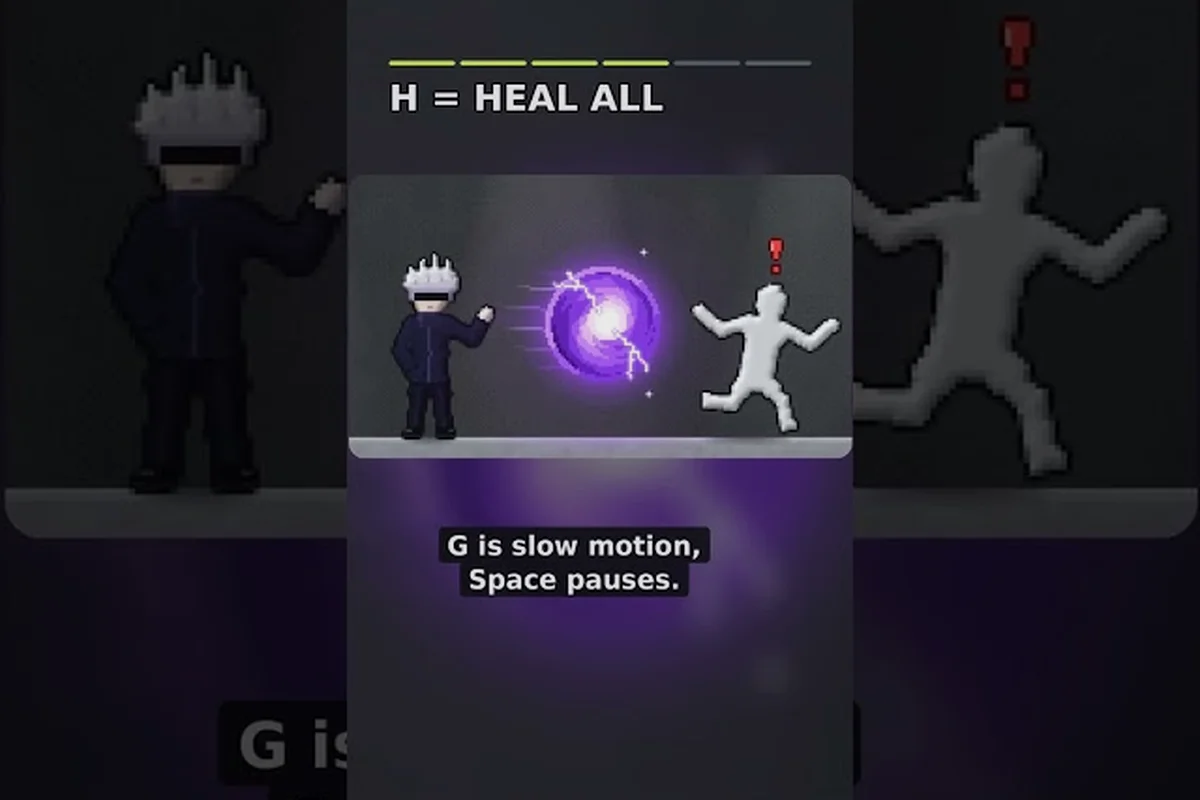
The Ragdoll Playground meteor effect turns a basic sandbox target into a physics spectacle, making it useful for testing collisions, timing, and explosive combos. Learn how the impact works, compare it with other powers, and build more deliberate chaos with black holes, tornadoes, and time manipulation.
Meteor Effect Overview
The meteor effect is centered on a falling object that produces a dramatic impact rather than a simple point damage event. Its usefulness comes from the way the object enters the scene, connects with nearby objects, and leaves the environment in a state that can be inspected or manipulated.
Players who are new to the sandbox can establish the basic controls and power selection routine through the Ragdoll Playground beginner guide before experimenting with large-scale collisions. This foundation matters because timing and object placement influence how readable each test will be.
| Feature | What it adds | Best use |
|---|---|---|
| Incoming object | Creates a visible approach before impact | Setting up predictable tests |
| Impact event | Produces a concentrated collision point | Testing reactions and damage |
| Physics interaction | Moves or launches nearby objects | Creating chain reactions |
| Environmental change | Leaves the scene altered after the strike | Comparing before-and-after states |
What the meteor communicates
The effect communicates force through sequence: the object appears, travels, and then strikes. That sequence gives players a short preparation window, which is more useful than relying on an instant effect when the goal is to observe how one object changes the movement of another.
A useful test begins with a clear target position. Place the dummy or another object away from walls, then choose a meteor approach that does not immediately send it out of reach. This creates a baseline for later comparisons with a black hole, tornado, or another power.
Core setup principles
-
Simplify the first test: Use one prominent target and a small number of nearby objects.
-
Watch the approach: Note where the meteor enters and whether its path intersects the target.
-
Record the result: Compare position, movement, and visible impact effects.
-
Change one variable: Alter timing or placement before adding another power.
-
Reset between trials: A clean reset prevents one collision from distorting the next test.
The Ragdoll Playground physics sandbox guide provides a useful foundation for testing the meteor effect, but the tool’s physics powers make setup precision especially important. Place a ragdoll on a stable surface beside a clearly separated target, then give the meteor enough travel distance to show its approach angle and point of impact. This makes it easier to distinguish direct meteor collisions from effects caused by time manipulation, a tornado, or another chaotic physics power entering the same area.
Meteor Mechanics and Physics Powers
The impact point is the center of the meteor effect, but the surrounding reaction may extend beyond the object that makes first contact. This makes positioning more important than simply choosing the largest available effect. A direct hit communicates the mechanic clearly, while a near miss may better reveal how momentum transfers into nearby objects.
The incoming trajectory also affects the result. Because the meteor behaves as a moving physical object, it can interact with the environment before reaching the intended target. Players should therefore check for walls, platforms, and loose objects before triggering it.
| Test variable | Lower-impact setup | Stronger setup | Why it matters |
|---|---|---|---|
| Target distance | Keep the target centered | Place it near the strike zone | Changes collision intensity and visibility |
| Object spacing | Leave empty space | Cluster several objects | Tests propagation and chain reactions |
| Approach angle | Use a clear side path | Aim through a crowded lane | Affects the direction of movement |
| Room layout | Use an open floor | Add walls or barriers | Shows how the environment redirects force |
| Timing | Trigger after setup | Trigger during a moving action | Creates unpredictable interactions |
How the impact differs from a direct weapon strike
Many weapons concentrate their effect at the moment of contact. The meteor is more visually directional because the player first sees an object in motion. That movement can carry energy into the target, create an impact angle, and produce a clearer sense of scale.
This distinction is valuable when comparing systems rather than simply measuring destruction. A weapon strike may answer whether the target reacts to contact, while the meteor effect also shows how incoming mass, trajectory, and environment combine around that contact point.
Physics powers as a language
Ragdoll Playground physics powers work better when treated as a small vocabulary of forces rather than isolated buttons. The meteor supplies a heavy, incoming collision. A black hole supplies sustained attraction. A tornado supplies rotation and suction. Time manipulation changes when movement is allowed to occur.
| Power | Dominant behavior | Best comparison target |
|---|---|---|
| Meteor | Heavy impact and collision | Direct strike versus nearby-object movement |
| Black hole | Pulling force and gravity-like attraction | Objects drawn inward or held near a center |
| Tornado | Circular motion and repeated movement | Rotation, clustering, and repeated force |
| Time stop | Temporarily changes simulation timing | Position setup before motion resumes |
| Slow motion | Reduces visible motion speed | Gradual tracking of force transfer |
These categories describe the intended role of each effect rather than fixed numerical damage values. In the meteor effect, a large mass entering the simulation mainly transfers momentum and collision force to ragdolls, so a direct hit should move a body more dramatically than a near miss. The black hole, tornado, time stop, and slow motion effects alter attraction, rotation, or simulation timing instead. Because exact behavior may vary by platform or game version, controlled observation—using the same ragdoll, force position, and camera angle—is more reliable than assuming every physics power has a comparable hidden statistic.
Meteor, Black Hole, and Tornado Comparison
Comparing the meteor with a black hole and tornado exposes a key difference: they act over different phases of a scenario. The meteor delivers a short, concentrated event; the black hole influences objects continuously; the tornado applies rotational movement over time. That makes them useful for different sandbox objectives.
The impact window is central to the meteor. If a player activates it too early, the object may strike before the scene is ready. If it is activated too late, the effect may miss or occur after the target has already moved. Watching the incoming path is therefore more reliable than memorizing a single button press.
| Criterion | Meteor | Black hole | Tornado |
|---|---|---|---|
| Primary effect | Collision and impact | Attraction | Rotation and suction |
| Duration impression | Brief and concentrated | Sustained | Sustained or recurring |
| Best target | A single moving target | Loose objects around a center | Several objects in a circular path |
| Main setup need | Clear approach angle | Open space around the center | Room for circular movement |
| Easiest comparison | Record final displacement | Record inward movement | Record rotation and clustering |
| Combo potential | Launch after a pull | Pull into an incoming path | Redirect a pulled object |
Creating a black hole before the strike
A black hole can act as a setup device for the meteor rather than a separate effect. Place the black hole away from the target, activate it, and let nearby objects begin moving toward its center. Then trigger the meteor so its arrival intersects that developing motion.
This creates a gravity-assisted collision. The result may be more complicated than a clean direct strike because the target is already moving and the final impulse depends on several factors: attraction strength, distance, meteor trajectory, and the timing of release.
The mechanics are less predictable than a stationary setup, but that is precisely the point for a chaos experiment. Players who want a clearer overview of individual abilities can consult the complete powers list before designing a multi-power test.
Creating a tornado sequence
A tornado offers a different combination. Instead of pulling everything toward a compact center, it introduces circular movement. Triggering a tornado before the meteor can rotate loose objects into the incoming path, potentially changing both the meteor’s contact point and the direction in which affected objects travel.
For the clearest observation, use three reference markers: one beside the intended meteor target, one beside the tornado’s rotation center, and one along the meteor’s approach lane. Trigger the tornado first, wait until loose ragdolls are visibly orbiting, then spawn the meteor. Compare the timestamps to see whether the lane marker shifts before the target marker, and note which object receives the strongest displacement. This makes it easier to distinguish the tornado’s circular pull from the meteor’s direct impact and to identify whether the combined ragdoll playground physics powers redirect the collision or accelerate nearby debris.
Best combination by objective
-
Single-target impact: Use the meteor alone in an open area.
-
Gravity setup: Place a black hole, allow motion to develop, then strike.
-
Rotational setup: Build with the tornado before adding the meteor.
-
Maximum spectacle: Combine all three, but record the result because ordering will matter.
-
Clearest teaching example: Change only one power between trials.
Time Manipulation for Meteor Testing
Ragdoll Playground time manipulation is most useful when the goal is to control preparation rather than interrupt a collision. A meteor test often needs three stages: arranging the scene, beginning the incoming object, and observing the result. Time-related abilities can make one of those stages easier to examine.
Time stop as a setup tool
If the game’s current time-stop effect freezes the simulation while the power remains active, it can help you inspect placement before continuing. The exact controls and behavior should be confirmed in-game because interface changes can alter the sequence. The broader principles are explained in the time stop and power combo guide.
A useful procedure is to stop time after positioning the target, check that the meteor’s intended path is clear, and then let motion resume before impact. If the meteor is already moving when time stops, you may instead be creating a frozen-in-place collision rather than a fresh setup.
| Timing approach | What changes | What remains observable |
|---|---|---|
| Freeze before activation | Target and environment are stationary | Initial placement accuracy |
| Freeze during descent | Incoming object pauses visually | Exact path and spacing |
| Resume into impact | Motion continues from the saved position | Collision timing and direction |
| Slow motion after contact | Reaction develops more gradually | Direction of transferred movement |
Why ordering matters
Ordering can transform the result. A meteor before a tornado may strike a stationary target and then place loose objects into rotation. A tornado before a meteor may create a moving target that the meteor meets at an angle. A black hole before both introduces a sustained pull into that chain.
The key variable is not simply which power was activated last. It is the state of the scene when the next effect begins. For example, a target pulled closer to the black hole center may meet the meteor sooner, while a target moving outward may change the collision angle and final displacement.
A repeatable observation plan
-
Record the target’s starting position with a visible landmark.
-
Trigger only the time-related effect and observe its duration.
-
Reset, then repeat with the meteor added.
-
Compare whether the target moved before contact or only after impact.
-
Repeat in a mirror layout to distinguish directional bias from a random result.
This controlled comparison is especially useful for community tests of the ragdoll playground meteor effect because it isolates one variable at a time. For example, record the time-manipulation duration, the target’s starting coordinates, and the distance traveled after meteor impact; if the interface does not display damage or impulse values, avoid substituting invented numbers for them. Repeating the same time manipulation and meteor setup also helps separate ordinary ragdoll movement from meteor-driven displacement without relying on an unverified damage statistic.
Practical Meteor Combos and Chaos Experiments
The most useful Ragdoll Playground chaos powers are not simply the most visually extreme options. They are effects that produce a visible chain of cause and effect. A meteor can act as the final event in a sequence that begins with gravity, rotation, or delayed motion.
Combo one: black hole and meteor
Place the black hole to one side of the target rather than directly on it. Give nearby objects time to move inward, then send the meteor through the resulting cluster. This setup tests whether incoming force and sustained attraction reinforce each other.
| Stage | Action | Observable result |
|---|---|---|
| 1 | Create the black hole | Nearby objects begin moving inward |
| 2 | Wait for the target to shift | Starting position no longer applies |
| 3 | Trigger the meteor | Contact occurs along a moving path |
| 4 | Compare with a solo meteor | Added effect comes from the black hole setup |
Combo two: tornado and meteor
Build the tornado first and allow a loose-object cluster to form, rather than launching the meteor directly into a single target. Aim the meteor through the outer edge of that cluster so its collision path catches several nearby objects at once. This approach can redirect the group without requiring every piece to occupy the same point, making the meteor effect more effective against scattered ragdolls while preserving the tornado’s pull.
Combo three: delayed motion and impact
Use time manipulation to create a moving target, then resume the simulation near the expected meteor arrival. The resulting collision is less visually clean, but it reveals how the physics engine responds when force arrives while the target is already in motion.
Safe experimentation habits
-
Keep one side of the room open so objects do not disappear immediately.
-
Use contrasting colors or landmarks to track movement.
-
Save a small setup template for repeated trials.
-
Reset after every major chain reaction.
-
Record the power order before pressing the next ability.
-
Test the final combo without a huge cluster so the first contact remains visible.
Players building larger scenarios can adapt these principles from the Ragdoll Playground chaos guide. The key improvement is to design a cause-and-effect sequence, not merely stack every available effect on the same target.
Best Settings for Reading the Meteor Effect
The best setting for studying the meteor effect is not always the most destructive one. Visibility, camera angle, and the amount of nearby clutter determine whether players can identify the exact moment of contact. A huge reaction is entertaining, but a readable reaction teaches more about the underlying physics.
Camera positioning should leave space in the direction the incoming meteor is traveling. If the object appears near the top of the screen, the camera may need to tilt upward before the strike. If the dummy is too close to a wall, the final displacement can be confused with the impact itself rather than the wall collision.
| Setup condition | Weak version | Better version | Practical benefit |
|---|---|---|---|
| Target visibility | Target blends into scenery | Use a contrasting surface | Easier contact timing |
| Impact angle | Object approaches head-on | Use a slight side angle | Direction becomes easier to read |
| Clutter | Many identical objects | Use a few separated objects | First movement is clearer |
| Wall distance | Target pinned against a wall | Leave space behind the target | Final displacement is easier to attribute |
| Camera framing | Impact occurs off-screen | Keep the full path visible | Less need to chase the action |
| Object count | Entire room is filled | Start with one target and two props | Chain reactions remain interpretable |
One-variable testing
The most reliable comparison changes only one thing at a time. Keep the same target, camera position, meteor path, and room layout, then add one power, such as a black hole, tornado, or time-manipulation effect. This isolates the physics change and makes it easier to attribute shifts in ragdoll movement, impact timing, or trajectory to that power rather than to a completely different scene.
For example, first record a direct meteor impact. Reset and create a black hole at a fixed distance on the target’s left side. Wait the same number of seconds before triggering the meteor. Any difference in movement can then be compared with the baseline rather than blamed on a completely different scene.
Reading movement rather than damage
The interface may not present every physics outcome as a precise numerical value. That makes movement the most accessible evidence. Watch the first object to move, the direction it travels, whether it rotates, and whether nearby objects join the reaction.
-
Direct displacement suggests a strong collision in the contact direction.
-
Rotation around a center suggests attraction or suction is influencing the path.
-
Repeated orbiting indicates a sustained force rather than a one-time impulse.
-
Sharp redirection at contact shows that the meteor altered an existing trajectory.
-
No immediate movement may mean the object was off the impact path or already stabilized.
Frequently Asked Questions
What does the Ragdoll Playground meteor effect do?
The Ragdoll Playground meteor effect delivers a moving object that collides with the scene, producing visible impact and physics responses. Its main appeal is the combination of a clear incoming trajectory and a concentrated collision point. Nearby objects may shift, rotate, or launch depending on placement, timing, and active effects.
Is the meteor stronger than a black hole or tornado?
There is no single useful strength comparison because the powers affect different stages of a scenario. The meteor provides a brief collision, the black hole creates sustained attraction, and the tornado produces rotational movement. A fair comparison should test direct impact, inward pull, or circular motion separately before combining them.
Can time manipulation improve a meteor combo?
Time manipulation can make the setup easier to inspect, especially before the incoming object reaches its target. Pause the simulation to check alignment, then resume motion when the arrangement is ready. The result depends on when the time effect begins, whether the meteor is already moving, and how the game version handles the transition.
Should a black hole be placed directly under the target?
Usually, a slight offset produces a clearer comparison because it creates a visible pull without instantly obscuring the target’s starting position. Placing the black hole directly underneath may make the scene harder to read. Test an offset first, then compare the final path with a centered setup.
What is the best way to spawn a tornado for a meteor test?
Begin with an open lane, place the tornado away from the target, and allow nearby objects to begin rotating before bringing in the meteor. This preserves a clear incoming path while still testing how redirected objects interact with the impact. Reset between trials so one chain reaction does not contaminate the next.
The Ragdoll Playground meteor effect is most valuable when treated as a controllable physics event rather than a simple destruction button. Track the trajectory, isolate one force at a time, and use black holes, tornadoes, or time manipulation to shape the conditions around impact. This approach reveals more than uncontrolled destruction and makes each sandbox result easier to understand.