
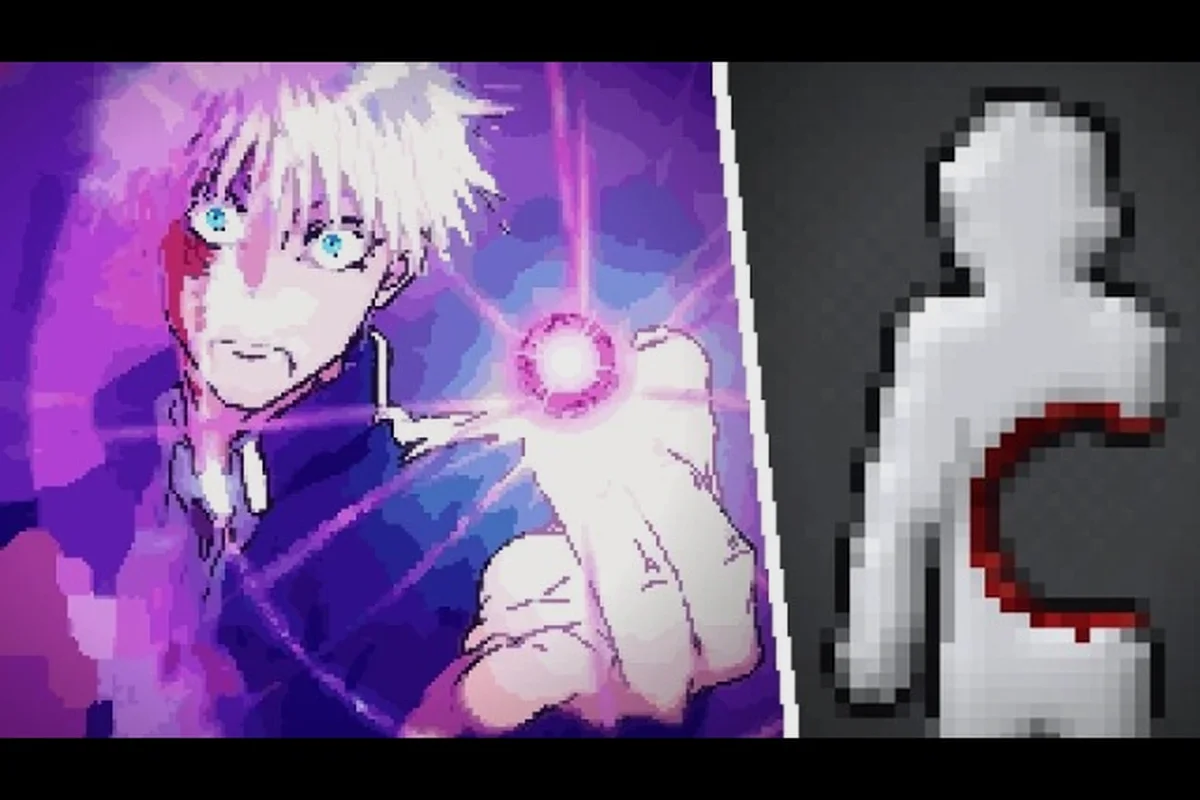
Ragdoll Playground is easiest to learn by experimenting with its white dummy, physics tools, and materials. For example, use the spawn menu to add several bodies with different masses, then apply force with the mouse to compare how lightly or heavily each object moves; this makes the simulation’s mass, gravity, and object interaction easier to see before attempting a complex scene. This beginner guide organizes five practical lessons around those core tools, showing new players how to test the 2D sandbox step by step and avoid wasteful early mistakes.
Beginner Guide: Start With the White Dummy
The white dummy is your safest place to learn how the sandbox behaves. It lets you test a weapon or environmental effect without worrying about a complicated objective, so you can observe momentum, impact, and recovery before attempting a larger setup.
The game’s community walkthrough by Blueburry shows the room layout, on-screen item selector, weapons, powers, and creatures in action. That visual guide is useful for matching the interface, but beginners should still begin with the simplest interaction: moving the dummy.
| First action | What to observe | Why it matters |
|---|---|---|
| Move the dummy | Direction and momentum | Teaches basic movement before physics effects |
| Touch or grab it | Attachment behavior | Shows how the sandbox handles interaction |
| Move it again | Drag direction and resistance | Reveals how force carries through the body |
| Reset the room | Fresh starting state | Prevents one test from affecting the next |
| Select an item | Tool placement and activation | Connects the inventory with the sandbox |
This opening sequence also establishes a productive testing habit. Each experiment should answer one question, such as whether a tool knocks the dummy backward, whether it reacts differently at a raised arm, or whether the result changes when the dummy is moving. This Ragdoll Playground new player guide approach reduces confusion because you compare one variable at a time rather than combining several effects immediately.
A Clean First Test
Begin with the dummy resting near the middle of the room. Move it gently, release it, and watch where it travels. Then approach it from another angle and repeat. If you want a broader checklist of early priorities, first things to do in Ragdoll Playground can help you organize early objectives after you understand the core physics.
The useful part is not the damage itself. Early on, focus on body movement, contact points, and momentum retention. Once those concepts feel familiar, weapons and powers become easier to evaluate because you understand what the ragdoll is doing before an effect is applied.
Keep a Simple Testing Sequence
Use this repeatable routine whenever you switch tools: first select the dummy’s starting position, then change only one variable—such as the weapon, object, impact angle, or force setting—before observing the full ragdoll reaction. For example, when comparing a crowbar with a thrown object, keep the dummy and camera angle fixed so you can identify whether the result comes from the tool’s damage or from your own movement.
-
Reset the room.
-
Place the dummy in the same starting area.
-
Apply one item or environmental effect.
-
Watch the complete reaction.
-
Adjust the position, angle, or strength.
-
Repeat until the result feels consistent.
This sequence turns random clicking into deliberate practice by separating a tool’s built-in effect from the impulse generated by your own movement. In practice, compare a close-range melee strike with a thrown object while keeping the ragdoll’s initial position and camera angle fixed; if the ragdoll travels farther after a swing, the added momentum comes from your input rather than the item’s damage. The same isolation method works for ranged weapons and area-based powers, helping you identify whether a stronger reaction comes from impact type, direction, or force.
How to Play: Master Movement and Force
Movement is the foundation of every experiment because even a powerful item depends on where the dummy is and how it is approaching the target. Instead of treating movement as a separate task from using tools, think of every action as a combination of positioning, contact, and force.
Separate Contact from Launch
When you touch or grab the dummy, begin with a light action. A small pull teaches the connection without producing a chaotic launch. Once you understand how the body follows your movement, increase the distance or speed and notice how the reaction changes.
| Experiment | Movement pattern | Learning outcome |
|---|---|---|
| Gentle contact | Short, controlled pull | Confirms attachment and drag behavior |
| Medium pull | Steady movement across the floor | Shows momentum and sliding |
| Long pull | Faster movement over greater distance | Demonstrates stronger acceleration |
| Release test | Drop the dummy while moving | Shows whether momentum continues |
| Angle test | Approach from above or below | Changes the direction of the reaction |
Force is easier to understand when you isolate it. A long drag and a sudden flick may use the same tool, yet they can create visibly different results because the speed and direction of the movement change at contact. That is why movement speed and release timing are two separate variables in this Ragdoll Playground how to play guide.
Do Not Chase Every Reaction
A ragdoll can move unpredictably when it collides with another body part, flips over itself, or lands at an awkward angle. Beginners often interpret every awkward result as a broken mechanic. Instead, reset and change only one part of the attempt. Move closer, change the approach angle, or begin with the dummy standing rather than lying down.
A practical rule is to run each test three times. If the result is broadly similar, you have identified the basic behavior. If it varies sharply, repeat with a smaller movement. This makes the early game easier to learn because visual chaos becomes a collection of understandable causes.
Grabbing and Releasing the Dummy
Grabbing is one of the first tools worth mastering because it works with nearly every other object in the sandbox. It also teaches the basic difference between changing an object’s position and changing its velocity. For a deeper look at the underlying action, see how to grab and fling the dummy.
Learn the Grip Before the Fling
Start by holding the dummy still. Watch which part stays attached and how the rest of the body hangs or pivots around it. Then drag the dummy a short distance before releasing it. Notice whether it keeps moving in the same direction or immediately collapses because of gravity and friction.
| Grip stage | What to focus on | Common beginner mistake |
|---|---|---|
| First contact | Selecting a body part | Clicking repeatedly in different spots |
| Initial hold | Maintaining attachment | Moving too fast before the grip settles |
| Controlled drag | Keeping the body coherent | Pulling at an awkward angle |
| Release | Watching momentum continue | Releasing at the exact peak of a swing |
| Repeat | Comparing results | Changing tool, direction, and speed together |
Hold duration can also influence the result. A quick tap and a sustained hold should not be treated as the same action. By letting the grip settle, you give the physics system a clearer starting point and make it easier to tell whether the final movement came from your drag or from the dummy’s own weight.
Use Obstacles Deliberately
Once the grip feels reliable, add one environmental feature at a time. Place the dummy near a wall, ramp, edge, or container and use those surfaces to redirect movement. A wall is useful for testing rebounds; a ramp makes it easier to compare lifting force with gravity; an edge helps reveal how the body reacts when support disappears.
Avoid combining a violent throw with several hazards on the first attempt. Begin with one obstacle and a modest drag, then increase complexity. This approach provides cleaner results and helps you build confidence with the ragdoll playground getting started process without relying on damage numbers that may vary by version.
Tips and Tricks: Slow Motion and Pausing
Slow motion is valuable because it exposes the intermediate positions between one action and the next. Instead of seeing only the beginning and end, you can watch the body rotate, the limbs settle, and an item make contact. That makes slow motion both a learning aid and a practical way to create more controlled scenes.
Slow Down Before You Increase Force
Many beginners jump directly to the strongest weapon or power because the final result is impressive. A better method is to reduce the speed of the action and examine each stage. This reveals where the dummy makes contact and which part of the body initiates the movement.
| Technique | Best use | Why it helps beginners |
|---|---|---|
| Slow motion | Inspecting contact and rotation | Separates movement into visible phases |
| Pause | Reviewing body position | Prevents an accidental reset before observation |
| Short movement | Testing basic force | Keeps the response easy to interpret |
| Gradual pull | Building momentum | Makes acceleration changes more apparent |
| Reset | Comparing clean tests | Removes debris and prior positions |
Turn Observation Into a Routine
Slow motion works best with a purpose. Before activating it, decide what you need to see: whether the grip holds, which body part strikes first, how an explosive effect spreads, or how a material behaves under weight. Without that goal, slow motion simply makes the action harder to follow.
The most useful sequence is to slow the action down, pause at the first meaningful contact, check the dummy’s orientation, resume briefly to observe the result, then reset and test a different angle. For example, when testing a melee weapon, slow motion can reveal whether the dummy’s hand or another limb makes the initial impact, while a ranged weapon lets you track the projectile’s path before it strikes. This sequence helps beginners learn the difference between contact-based weapons and projectile-based weapons without losing the timing needed to read the ragdoll reaction.
-
Slow the action down.
-
Pause at the first meaningful contact.
-
Check the dummy’s orientation.
-
Resume briefly to observe the result.
-
Reset and test a different angle.
This method also improves weapon selection. For example, a melee weapon and a ranged weapon can look different in slow motion because one depends on contact while the other produces a projectile. If you want a broader look at the inventory, the weapon and item overview explains the available categories more clearly.
Know When Not to Slow Down
Time control becomes less useful once you are trying to compare area coverage or a rapid chain reaction. In those cases, the normal speed provides a better sense of scale. Use slow motion to learn one rule, then return to normal speed to confirm that the rule still works under realistic timing.
Materials, Weapons, and Environmental Tests
The sandbox becomes more interesting when tools interact with the environment. Water, sand, fire, lava, and solid obstacles do not simply produce the same result. Their behavior depends on the dummy’s position, the shape of the space, and the way the item is delivered. The goal for a beginner is not to cause maximum chaos but to learn one clean interaction.
Begin With a Contained Area
Set up a small test region before releasing a large amount of material. A contained area makes it easier to see where the material travels and whether the dummy sinks, floats, burns, or becomes trapped. Keep the first trial free of explosions and creatures so the material remains the main variable.
| Test setup | Main observation | Best beginner question |
|---|---|---|
| Water basin | Buoyancy and displacement | Does the dummy float or sink? |
| Sand pile | Pressure and resistance | How does weight change movement? |
| Fire source | Contact and duration | What happens when the body remains nearby? |
| Lava pool | Material interaction | Does it behave differently from fire? |
| Solid platform | Balance and friction | Does the dummy slide or settle? |
Community reports commonly describe materials as part of the sandbox’s experimental side rather than a strict progression system. Because behavior may vary by platform or version, use the physics sandbox overview to understand how experiments can be structured instead of treating one reaction as a permanent rule.
Compare One Tool With One Material
For a clean comparison, keep the dummy’s starting position fixed and use the same method of delivery. You might place sand in a basin, then repeat with water, or test a sword against a stationary dummy and then against a suspended one. The method stays constant, so any visible change has a clearer explanation.
Avoid evaluating several new systems simultaneously. A weapon, creature, material, and power in one test can create an impressive result, but it teaches very little. Once a simple reaction works reliably, add one layer. This progression is central to understanding the ragdoll playground tips and tricks that experienced players use when building reliable scenes.
A Practical New Player Guide Routine
The fastest way to learn is to use a short routine after every new item. It prevents the interface from becoming an endless catalog and gives each experiment a clear purpose. The routine also helps beginners notice differences between a weapon’s damage, an effect’s area, and the physics caused by movement.
The Five-Minute Lab Loop
-
Reset: Start with a clean room so old objects do not distort the result.
-
Position: Put the dummy somewhere with enough room to move.
-
Select: Choose one item from the interface.
-
Approach: Use a moderate movement rather than maximum force.
-
Observe: Watch contact, body movement, and the resulting position.
-
Compare: Change one variable and repeat.
-
Record: Note whether the effect was useful, weak, or difficult to control.
| Variable | Change one at a time | What you learn |
|---|---|---|
| Starting position | Center versus edge | How space affects the reaction |
| Approach angle | Direct versus diagonal | How direction redirects force |
| Movement speed | Slow versus fast | How acceleration changes the result |
| Tool | One item replaced at a time | Which effect fits the goal |
| Material | Water, sand, fire, or lava | How the environment reacts |
| Time speed | Normal versus slow motion | Which moments are easiest to read |
Progress From Control to Creativity
The first goal should be control, not destruction. Move the dummy a predictable distance, pause during a fall, or create a stable obstacle interaction. Once you can reproduce those outcomes, introduce weapons and powers. You will be able to tell whether a spectacular effect succeeded because of the tool or because of a lucky camera angle and complicated body rotation.
This Ragdoll Playground beginner guide can be summarized in one rule: change one variable at a time. That habit makes controls easier to learn, reveals the reason behind each physical reaction, and prevents a powerful tool from hiding the fundamentals you still need to master.
What to Avoid as a New Player
-
Changing the tool and direction together: You may attribute the result to the wrong cause.
-
Starting with maximum force: Large reactions are harder to read and harder to reproduce.
-
Leaving previous objects in the room: They can interrupt the dummy or redirect the test.
-
Ignoring slow motion: Fine contact details may pass by too quickly.
-
Testing everything at once: Combining several effects hides which system produced the result.
-
Assuming every reaction is identical: Body position and angle can change the outcome.
The central takeaway is that Ragdoll Playground rewards deliberate experimentation. Begin with the white dummy, master contact and release, use slow motion to inspect physics, and add materials one at a time. With that foundation, every later weapon, power, creature, and scenario becomes easier to control and more rewarding to explore.
Frequently Asked Questions
What should a beginner test first in Ragdoll Playground?
Start with the white dummy in the central room. Move it, make gentle contact, drag it a short distance, and reset before repeating. This establishes how position, grip, momentum, and gravity work before stronger tools obscure the basics. Follow the same path each time so changes in the result have a clear cause.
How can new players understand physics more easily?
Use slow motion and change only one variable during each trial. Keep the starting position fixed, then alter the approach angle, movement speed, tool, or material. Watching the complete reaction makes contact and rotation easier to understand, while a consistent setup helps separate the tool’s effect from ordinary body movement.
Is grabbing the dummy necessary for beginners?
Yes, because grabbing teaches how objects connect, move, and react to release. Begin with a light hold, drag it a short distance, and watch what happens after you let go. You can then increase speed and distance. This makes later testing with weapons, powers, and environmental hazards much easier to interpret.
Should beginners use the strongest weapon immediately?
No. A stronger item often produces more motion, but it can conceal the underlying mechanics. Test a simple tool at low speed first, then compare it with a more powerful option. Pay attention to contact, direction, and recovery rather than damage alone. The stronger choice is more useful once you know how to position it reliably.
What is the best way to learn materials in the sandbox?
Use a small, contained test area and apply one material at a time. Keep the dummy’s starting position identical, observe whether it floats, sinks, burns, or becomes trapped, and reset before changing the setup. Separate water, sand, fire, and lava tests so their different responses remain visible and easier to compare.