
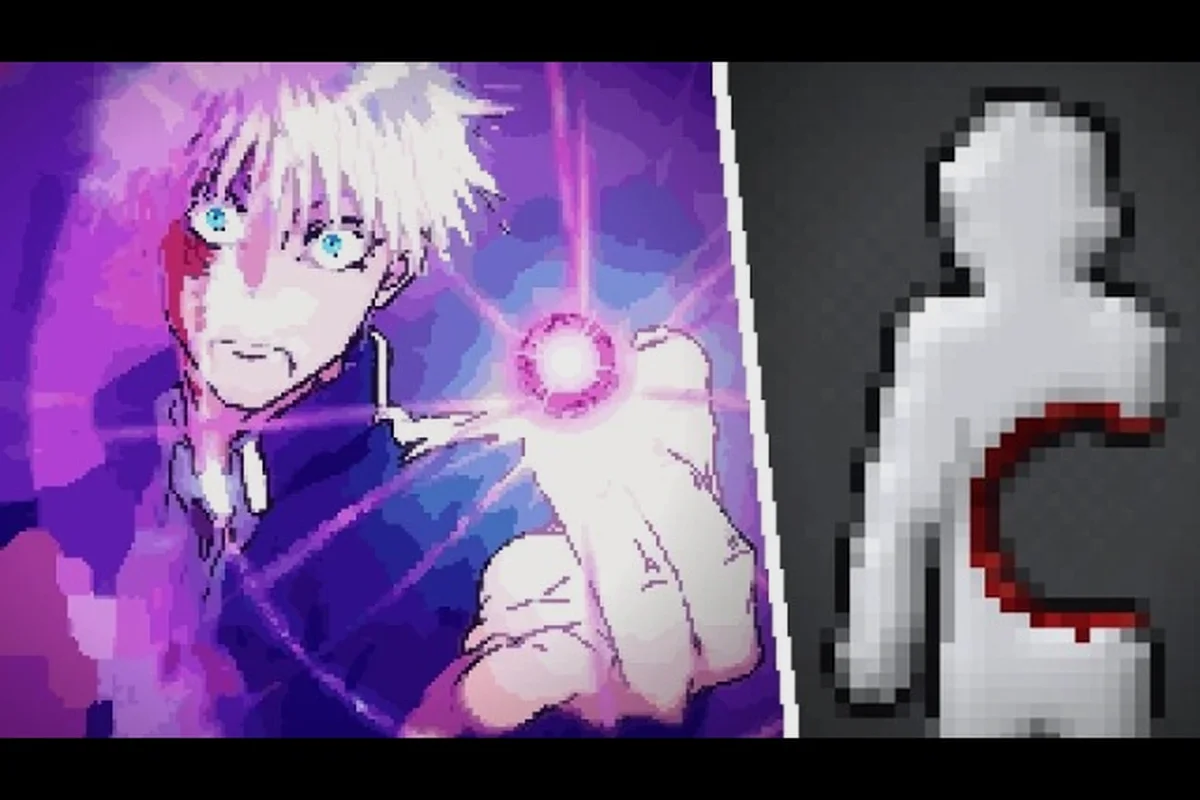
Ragdoll Playground’s sandbox game matters because it turns one white dummy into a laboratory for weapons, materials, creatures, and physics. This Ragdoll Playground guide explains how its Granule-inspired room works and how to design cleaner, more entertaining experiments with practical controls and repeatable setups.
Sandbox Game Overview
Ragdoll Playground centers on a flat, single-room 2D environment containing a white humanoid dummy and a large selection of interactive tools. Its appeal comes from what players can do with that simple pairing: grab and fling the dummy, trigger weapons, spawn creatures, pour materials, and observe how every object reacts inside the same confined space.
The central idea is closer to an interactive physics toy than a traditional campaign. Instead of completing missions, the player sets up a situation and immediately watches the result. One dummy can be suspended, launched, frozen, burned, struck by multiple creatures, or caught in overlapping effects. That flexibility is the reason the game appeals to both casual visitors and players who enjoy deliberately testing destructive combinations.
The Ragdoll Playground sandbox game also has a clear visual hierarchy. The bright background makes dark silhouettes and colorful effects easy to read, while the uncluttered room keeps attention on the experiment. There is no need to memorize complex levels before having fun. A useful starting point is to learn the room, master movement, and then add one variable at a time.
| Core feature | What players can do | Why it matters |
|---|---|---|
| White dummy | Grab, throw, position, and damage it | Serves as the main physics target |
| Single 2D room | Stage experiments in a confined arena | Keeps cause and effect easy to observe |
| Tool menus | Add weapons, powers, creatures, and elements | Supports many different scenarios |
| Physics engine | Produces ragdoll motion and collisions | Creates unpredictable but readable results |
| Reset option | Restore the room after a test | Encourages quick iteration |
What Makes the Sandbox Different?
A conventional combat game rewards preset encounters, while this sandbox gives the player control over the encounter itself. The important decision is not which level comes next, but what should happen next: a sword strike, a controlled blast, a wall of sand, or a collision between several opposing forces.
This freeform structure explains the game’s experiment-first loop. Select an effect, observe the dummy’s response, reset, and modify one element. It also explains why descriptions of Ragdoll Playground Granule inspiration often focus on immediate physical feedback. Granule-style interaction places the action directly in the scene, with little separation between a player’s input and its visible outcome.
Players can therefore build tests around three broad variables: the input that initiates the action, the physics governing how it unfolds, and the outcome produced by the dummy’s physical response. For example, applying an explosion to a creature and to a rigid wall reveals different collision and displacement behavior, while comparing a single sword swing with a chained creature attack shows how momentum transfers between bodies.
-
Input: A swing, explosion, creature attack, material, or abnormal power.
-
Physics: Momentum, gravity, friction, collision, and the dummy’s loose joints.
-
Outcome: Damage, displacement, dismemberment, environmental effects, or a chain reaction.
That variable-based approach is more useful than trying to memorize a long item list. Start with a clear question, such as whether stronger impact produces more movement or whether a creature behaves differently after being launched. The answer becomes a small experiment rather than a vague impression.
A Reliable First Sandbox Session
A strong first session begins with movement and manipulation. Drag the dummy into different parts of the room, release it, and watch how it settles. Try a short throw, a long throw, and a throw into a corner. These simple actions teach the room’s dimensions and the difference between a controlled tap and a forceful swing.
Next, select one tool and use it once. Do not immediately fill the room with explosions. A clean single-variable test teaches you how the tool affects the dummy and whether the effect continues after impact. Reset afterward. Only combine effects once you understand each one independently.
The Ragdoll Playground beginner guide expands this first-session approach with practical setup advice, while this article focuses on how the sandbox structure supports experiments and the broader Granule-inspired experience. In a ragdoll playground sandbox game, the room itself acts as a test chamber: wall height, corner geometry, and object placement determine whether a short throw produces a recoverable tumble or a forceful launch creates the physics-driven chaos that makes each setup useful for observing momentum, impact, and collision behavior.
Granule-Inspired Physics and Controls
The most important part of any Ragdoll Playground tutorial is learning how direct manipulation changes the scene. The mouse is central because clicking and dragging provide precise control over the dummy’s position and momentum. Instead of choosing a fixed attack animation, you can decide where the interaction begins and how much force to apply.
A slow drag places the dummy precisely. A fast sweep produces a throw. Releasing the dummy near a wall creates a different collision pattern than launching it into open space. These distinctions give the player meaningful control without turning the sandbox into a complex construction editor.
Essential Control Techniques
The controls reward a clear rhythm: position, act, observe, reset. Position the target first because a weapon test performed from an awkward starting point can produce misleading results. Act with one tool, observe the complete reaction, and reset before changing the setup.
| Control action | Practical use | Best experiment |
|---|---|---|
| Click and drag the dummy | Place it precisely | Compare identical weapon hits from fixed positions |
| Swing and release | Apply momentum | Test distance traveled after a throw |
| Use an item action | Trigger a weapon or tool | Measure direct versus delayed effects |
| Slow time | Observe collisions | Identify which object made contact first |
| Pause | Inspect the result | Explain unusual body positioning |
| Reset | Restore a clean room | Repeat the same setup with one changed variable |
Slow motion is especially valuable because fast ragdoll collisions can create confusing results. When several creatures or objects overlap, slowing the moment helps you identify the sequence of events. Pause after impact if you want to examine the final position, and reset whenever particles, bodies, or effects make the room difficult to read.
For exact mouse and keyboard bindings, the complete control reference provides a useful baseline for PC players. On touch devices, interface differences may affect button placement and timing, so testing in slow motion is even more valuable.
Why Direct Manipulation Matters
Direct manipulation makes the sandbox feel responsive because the player’s cursor acts as both a camera and a tool. The ragdoll does not follow a predetermined route; it reacts to the direction, speed, and contact point of an action. This creates a practical distinction between contact and force.
Contact describes whether an effect touches the dummy. Force describes how the interaction unfolds afterward. A sword may make clear contact but produce limited displacement, while a blast can create both immediate damage and a long airborne motion. Another ability may barely move the dummy yet continue affecting the room. These differences are why controlled comparisons produce more insight than random experimentation.
The Ragdoll Playground Granule inspiration is most noticeable in this immediacy. The environment responds without a long sequence of menus or scripted stages. A player can form a hypothesis, test it, and immediately revise it. The white dummy acts as a consistent reference point, so the main variable is the tool or force being tested.
Turning Controls Into Better Experiments
Before testing a new item, decide what should remain constant. Keep the dummy at the same height and facing, use the same swing distance, and wait for the room to settle. Then vary only the tool. This simple method prevents the most common beginner mistake: changing the setup and the effect simultaneously, then assuming the tool caused every visible outcome.
For example, a useful first comparison is a sword, firearm, and explosive against the same starting position. The result will not be a formal damage ranking, because the tools produce different physical signatures. Instead, it reveals whether each option concentrates on contact, sustained force, impulse, or environmental destruction. The weapon interaction overview explains how attack actions fit around the dummy.
Tools, Weapons, and Experiment Design
The tool inventory is the heart of the Ragdoll Playground sandbox game. Weapons provide immediate mechanical actions, powers alter time or space, creatures introduce independent movement, and elements change the environment itself. Their value comes from combining categories thoughtfully, not from selecting the largest number of objects.
A good experiment has one purpose. Testing the same setup with several tools can help compare behavior, but testing ten effects at once creates spectacle without useful evidence. Choose a question before opening the menu, then select the smallest combination that can answer it.
Choose a Variable for Each Test
| Test category | Variable to change | Keep constant | Useful observation |
|---|---|---|---|
| Weapon test | Sword, gun, blade, or explosive | Dummy position and swing range | Damage style and displacement |
| Power test | Time, gravity, tornado, or impact | Starting pose | How ordinary motion changes |
| Creature test | Zombie, skeleton, alien, or dragon | Room and dummy placement | Independent approach and contact |
| Element test | Sand, water, fire, or lava | Tool quantity and placement | Flow, coverage, or persistence |
| Combination test | One tool plus one modifier | Initial placement | Whether effects amplify or interfere |
This framework turns a crowded sandbox into a laboratory. It also helps when a result looks spectacular but you cannot explain what caused it. By keeping the dummy’s position and the room state consistent, you isolate the variable and can repeat the setup after a reset.
Weapons Create Direct Contrast
Weapons are the easiest category for new players to understand because their activation is visible and usually connected to the dummy. Swords and other blades emphasize contact and force at the strike point. Firearms can produce quick impulse or projectile effects. Explosive tools introduce wider shock effects and environmental destruction. The useful comparison is not simply whether one looks stronger, but whether it produces different movement patterns.
| Weapon style | Expected emphasis | Best comparison | Reset reason |
|---|---|---|---|
| Melee blade | Localized contact | Sword versus chainsaw | Shows differences in reach or motion |
| Ranged tool | Projectile impact | Gun versus thrown object | Separates impulse from close contact |
| Heavy explosive | Broad force and area | Bomb versus larger blast | Highlights blast radius and persistence |
| Tool or utility item | Changed interaction style | One-use item versus tool | Highlights control rather than raw power |
Use the inventory carefully. A blast can move the dummy beyond the center of the room and leave debris that affects the next impact. For clean data, reset after every run. If you want to study a chain reaction instead, save the current state and treat the debris as part of the new design.
Creatures Introduce Independent Motion
Creatures differ from weapons because they bring their own behavior into the room. A zombie may pursue the dummy, while larger or more aggressive creatures create much larger movement. The interesting question is not simply which creature deals more damage. It is how the creature approaches, whether it maintains contact, and how the dummy reacts after the first collision.
Place the dummy away from the immediate spawn point for an approach test. After the first creature arrives, pause or slow time to study the path. Then compare it with a stationary encounter. Creatures can also become physics objects themselves, so launching one into a weapon may produce a very different result from hitting the dummy directly.
The creature guide breakdown helps distinguish pursuit behavior, body size, and contact effects. Use it alongside this sandbox structure so every encounter answers a specific question: does a zombie track the dummy directly, does a larger creature need more space to turn, and does contact trigger a knockback that changes the dummy’s position rather than only its health? Compare those outcomes in controlled trials before adding multiple creatures, since overlapping pursuit paths can make it difficult to identify which attack caused the reaction. This turns the ragdoll playground sandbox game from a random collision scene into a practical test of creature AI, physics, and weapon interactions.
Elements Test the Environment
Sand, water, fire, and lava expand the sandbox beyond direct attacks. They cover the floor, flow around obstacles, or continue affecting the dummy after the initial tool is used. These effects are best studied through duration: does the dummy stop moving, continue sliding, ignite, float, or become trapped?
Do not compare a small quantity of sand with an entire lava field unless quantity is your chosen variable. That would test scale, material, and area at once. A cleaner test uses equal-looking amounts and changes only the element. Then repeat with equal areas if area is the intended variable.
The element interaction reference is particularly useful for testing whether materials combine in distinct ways. Remember that flowing materials may change the surface beneath the dummy, so waiting until the room settles produces more consistent observations.
Tips for Repeatable Tests
Reliable results depend more on experimental discipline than on complex controls. The strongest Ragdoll Playground tips are simple: begin with a clean room, define one variable, make the input consistent, and record what happened before changing anything. This method works for beginner sessions and more elaborate creations alike.
Establish a Three-Run Routine
A three-run routine is enough to turn an observation into a useful comparison in Ragdoll Playground’s sandbox environment: first capture a baseline, then alter only one variable, and finally retest or combine effects. For example, compare a standard throw with a stronger tool while keeping the ragdoll’s spawn point and input path fixed; if the second test ends farther away or causes a longer stun, the difference is more likely to reflect the tool rather than positioning, debris, or inconsistent input. This approach makes both powerful and subtle playground effects easier to evaluate without treating one improvised success as proof of a repeatable mechanic.
-
Run 1: Establish the baseline with the simplest option.
-
Run 2: Change one category of tool while preserving position and input.
-
Run 3: Combine two effects or repeat the result to check consistency.
Record the dummy’s starting position, the tool used, the direction of movement, the duration of the effect, and whether the room required extra cleanup. You do not need advanced equipment; a written note can reveal that two supposedly different tests used different starting positions.
| Session phase | Action | Reason |
|---|---|---|
| Setup | Reset and position the dummy | Removes old debris and movement |
| Control | Perform the same input path | Limits inconsistent technique |
| Observation | Watch at normal speed | Captures the intended result |
| Inspection | Replay in slow motion | Identifies hidden contact points |
| Reset | Clear the room | Prevents residue from changing the next test |
This routine is especially helpful when comparing a powerful effect with a subtle one. Slow motion can make the subtle result clearer, while normal speed provides the context needed to judge overall impact. Use both rather than choosing only one viewing speed.
Preserve Useful Setups
You can turn a random discovery into a reusable challenge. Start with a clean setup, perform the action, and note the exact tool, position, and movement. Later, rebuild that setup and change one rule, such as adding a creature or replacing open space with flowing sand.
The sandbox challenge ideas guide offers additional prompts for testing distance, reaction time, and tool combinations. A strong prompt should be measurable enough to explain its result. “Launch the dummy as far as possible” is easy to evaluate; “use three effects” is more open-ended because there is no clear standard for success.
Avoid Common Measurement Errors
Several mistakes can make a sandbox test misleading in Ragdoll Playground because the game’s physics simulation combines momentum, joint constraints, object mass, and material reactions. For example, dropping the same ragdoll from the same height while changing one tool at a time can show whether impact distance, body deformation, or environmental damage comes from the tool or the setup. Treat each run as a controlled comparison: record the dummy’s starting position, the tool’s contact point, the elapsed settling time, and the resulting displacement. That approach makes cause-and-effect clearer when testing features inspired by Ragdoll Playground: Granule Inspiration.
-
Changing the dummy’s pose: Start from the same upright or suspended position.
-
Moving the tool unpredictably: Use a consistent arc or range.
-
Judging while the room is cluttered: Reset before comparing core effects.
-
Ignoring delayed behavior: Watch until movement and environmental effects settle.
-
Using damage as the only metric: Record distance, duration, and area too.
-
Adding items too quickly: One major effect per run makes the result clearer.
This discipline turns the Ragdoll Playground tutorial portion into a repeatable testing method rather than a memorization exercise for individual commands. For example, if a granule-inspired tool produces a larger impact arc than a standard tool, compare the tool’s contact point, the ragdoll’s joint constraints, and the settling time before attributing the difference to damage. Tracking momentum, contact, mass, and material behavior reveals why the same setup can produce different displacement, deformation, or environmental effects in the sandbox game.
Build Creative Sandbox Challenges
Once the basic physics are familiar, the Ragdoll Playground sandbox game becomes a platform for self-designed challenges. The strongest challenges impose constraints rather than simply filling the room. A limit creates a measurable objective and gives every tool a distinct role.
For example, a distance challenge asks the player to launch the dummy as far as possible without directly detonating it. A containment challenge asks whether water, sand, or another material can redirect movement. A creature challenge can require a dummy to survive long enough for a moving target to reach it. A combo challenge might require two tool categories, such as a power followed by a weapon.
Challenge Categories
| Challenge type | Setup requirement | Success condition | Best tools to test |
|---|---|---|---|
| Distance | Dummy starts at a marked point | Farthest verified landing point | Grabbed fling motion, blasts, creatures |
| Control | Place or slow the dummy | Hit a target with limited force | Grip, time manipulation, ranged tools |
| Survival | Begin with one effect | Dummy remains active for a set duration | Fire, water, creatures, hazards |
| Chain reaction | One effect must trigger another | Second effect activates naturally | Explosives, elements, physics objects |
| Efficiency | Limit tool quantity | Produce maximum result with one action | Gravity, time, and precise attacks |
To keep results honest, define the starting position before beginning and identify the target or measurement area in advance. If the dummy crosses a boundary through a chain reaction, document the entire chain rather than counting only the final impact. This creates a better challenge because another player could understand and reproduce it.
Designing Multi-Tool Scenes
A multi-tool scene works best when each object has a purpose. One effect can launch the dummy, another can change where it falls, and a third can test the landing area. Random placement often produces a visually busy moment, but it does not reveal which interaction caused the result.
A useful construction sequence is to assign each tool a distinct role before placing it in the ragdoll playground sandbox game scene: one tool starts the dummy’s motion, a second redirects the fall, and a third reacts at the landing zone. For example, a bomb can send the dummy upward, a tornado can shift it sideways, and a sand platform can cushion the final impact. This separation makes it easier to identify whether the bomb, path modifier, or landing effect caused an unexpected result.
-
Place the dummy at the starting marker.
-
Add the tool that begins the action.
-
Add one modifier that alters the path.
-
Add a final effect that reacts to the expected impact.
-
Test the full chain, then simplify any section that did not contribute.
Keep the tool chain readable so each part of the ragdoll playground sandbox game scene has a testable function. For example, if the bomb works but the dummy misses the sand platform, adjust the tornado’s direction or strength rather than rebuilding the whole setup. After each run, note which object changed the dummy’s position, rotation, or landing point; this makes a failed interaction easier to isolate and turns the multi-tool scene into a controlled experiment.
The walkthrough and things to do guide can provide more activity ideas, while the challenge structure here ensures that each activity has a clear objective and repeatable rule. In a ragdoll playground sandbox game, this means treating every object as a testable cause rather than stacking props for visual variety: for example, a bomb that controls the dummy’s initial impulse, a tornado that shifts its trajectory, and a landing platform that changes the impact result. Save each setup, change only one variable between tests, and record whether the dummy’s position, rotation, or landing point changes; that repeatable comparison makes the sandbox scene useful for isolating interactions while leaving room for new challenges.
Shareable Score Conditions
A score condition should reward technique rather than accidental luck. Examples include measuring from a fixed marker, requiring one tool category, limiting the number of resets, or counting the full duration of an environmental effect. These conditions make the challenge understandable without requiring a complex scoring system.
Use three criteria when designing one: state the objective in one short sentence, define the object or ragdoll involved, and set a measurable completion condition. For example, a score condition could require launching the dummy from a fixed platform and recording its landing distance, or require one tool category while the environmental effect lasts a specified number of seconds. This makes each score condition transparent and repeatable without replacing the open-ended ragdoll playground sandbox game feel.
-
Start condition: Where is the dummy and what is already active?
-
Action limit: How many tools, categories, or attempts are allowed?
-
Success measure: Distance, time, target accuracy, or chain completion.
A good challenge remains understandable in one sentence and produces a result that can be repeated. If the room contains five unrelated effects and no visible goal, it is entertainment, but it is not yet a complete challenge. The best sandbox scenes balance spectacle with a rule that gives every object a purpose.
Frequently Asked Questions
Is Ragdoll Playground a sandbox game?
Yes. Ragdoll Playground is primarily a physics sandbox centered on a white dummy, a single 2D room, and tools that alter movement, damage, time, gravity, or the environment. Its progression comes from player-created tests rather than a conventional mission list, which makes experimentation the central activity.
What does Granule-inspired gameplay mean in Ragdoll Playground?
Granule-inspired gameplay emphasizes immediate, direct interaction with simple objects and visible consequences. In Ragdoll Playground, grabbing, throwing, spawning, and triggering tools happen directly in the room. That approach keeps the action easy to understand and makes the Granule-style inspiration most noticeable through responsive physics and minimal interface friction.
How do I create consistent physics experiments in Ragdoll Playground?
Reset the room, place the dummy at the same position, and use a consistent drag or swing path. Test one variable at a time, record the result, and replay it in slow motion when needed. Changing position, pose, and tool simultaneously makes it difficult to identify which factor caused the outcome.
What is the most useful Ragdoll Playground tip for beginners?
Slow down before adding more chaos. Learn how to grab, fling, pause, and reset the dummy before combining weapons, creatures, powers, and materials. One clean test teaches more than a crowded scene because it lets you compare movement, damage, duration, and environmental effects without interference.
Can players create their own challenges in Ragdoll Playground?
Yes. A useful custom challenge needs a fixed starting condition, a limited action or tool budget, and a measurable goal. Examples include launching the dummy a specific distance, redirecting it with flowing material, or triggering a chain reaction. Resetting between attempts keeps the rules consistent and the results comparable.