
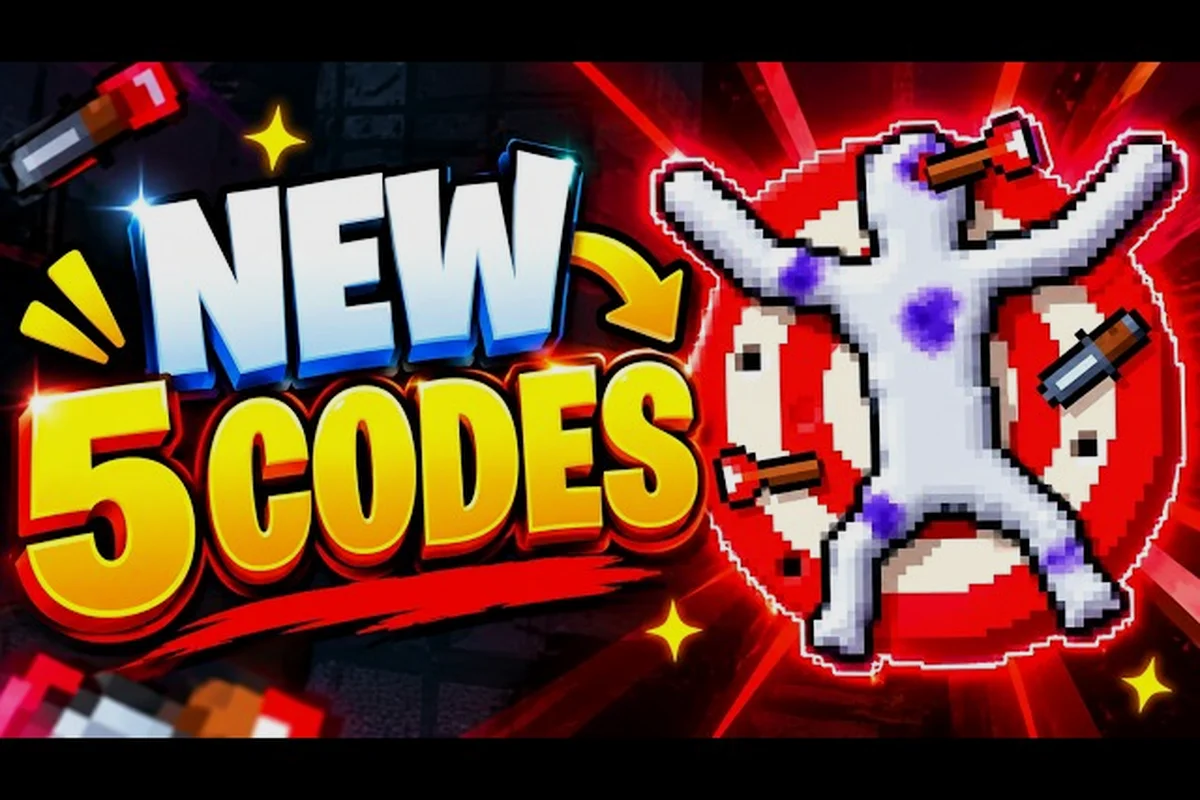
A useful Ragdoll Playground walkthrough depends on controlling momentum, arranging objects, and testing how the physics system responds. For example, place a chair or barrel near a ragdoll’s path, then adjust the launch angle before increasing force; the object’s position can redirect a fall that would otherwise become a chaotic tumble. These deliberate experiments make the PC gameplay more predictable than relying on random mouse movements.
Walkthrough Starts With the Physics Room
Ragdoll Playground is built around a compact sandbox where players can place weapons, hazards, powers, and creatures around a soft-bodied dummy. The most important walkthrough skill is learning how the room responds before adding a destructive tool. You can first move the dummy, position a prop, and observe how the body collides with the environment.
The core control pattern is straightforward: grab or move the dummy, equip an item from the available tools, then use it in the room. Because the simulation reacts to physical contact, changing the dummy’s position before an action can produce a much more interesting result. This is especially useful when testing PC controls and mouse actions because it makes small positioning changes easier to understand.
| Walkthrough stage | Main action | What to observe |
|---|---|---|
| Arrange | Move the dummy and nearby objects | Contact points and body momentum |
| Prepare | Select a tool, weapon, power, or hazard | Available range and collision behavior |
| Trigger | Use the item while the room is arranged | Direction, force, and chain reactions |
| Refine | Pause, reset, and change one variable | Which action caused the result |
| Repeat | Save a compact combination | A more controlled final test |
A good first experiment uses one variable at a time. Move the dummy, apply one tool, and watch the result before resetting. Once you understand that interaction, introduce a second object. This method is more reliable than adding five items at once, because it helps you distinguish force from impact, gravity from collision, and a tool’s effect from the placement of another prop.
Start with the Room’s Edges
The room boundaries are useful because they provide predictable collision surfaces. Position the dummy near a wall, then apply a small push to see how the body rebounds. Next, try a stronger movement from farther away. Comparing these two tests reveals why distance matters: the same tool can feel weak up close yet powerful after the dummy has built momentum.
Players often make the mistake of judging an item by its first hit alone. In a physics sandbox, the body can accumulate speed before colliding with a weapon, obstacle, or hazard. The room’s edges also let you study rotation, because a body that hits a wall can tumble rather than simply stop. A slow-motion view is especially helpful here; it makes the transition from falling to impact much easier to study.
Use Reset as Part of the Test
Resetting is not a sign that an experiment failed. It is the cleanest way to compare two setups. Save one result mentally, reset the room, move the dummy one small distance, and repeat the same action. If the result changes substantially, the initial setup probably supplied momentum or caused an unintended collision.
For more structured experiments, the beginner guide provides a useful foundation for learning the interface before combining advanced tools. The main lesson is to keep notes in a simple structure: tool used, dummy position, distance, and observed result. Even a brief note can prevent you from repeating the same setup while searching for a new combination.
Five Useful Tricks for Better Control
Trick 1: Build Speed Before the Impact
One of the best Ragdoll Playground tricks is to use the room’s open space to build momentum. Instead of placing the dummy beside a weapon or hazard, move it toward the target and let the body travel. This approach creates a cleaner test of impact because the collision occurs after a visible acceleration phase.
The effect becomes even more noticeable with heavy or awkward objects. A small shove may not produce a dramatic result when the dummy is pinned against a wall, but the same shove from across the room can create a tumble. Start with a straight path, then test a diagonal path to see how rotation affects the landing. Avoid changing both the angle and the tool simultaneously, because you will have more difficulty understanding which change produced the difference.
Trick 2: Use Height and Gravity
Vertical placement is another free tool. The dummy can fall from a higher position, and gravity can add force before the body reaches the ground. If an impact feels weak, raise the dummy rather than assuming the selected weapon is ineffective. If it feels too powerful, lower the starting point and repeat.
This makes the room function like a simple test chamber. One setup can represent a low-speed collision, while another represents a gravity-assisted fall. It also gives you more control over a practical experiment: place the body near the center of the room, let it fall naturally, and observe which parts connect with the floor first. That observation can help you position a target more precisely.
| Setup | Likely result | Best use |
|---|---|---|
| Low placement | Small impact force | Basic tool testing |
| Medium height | Clearer tumble or knockback | Comparing weapons |
| High placement | Strong gravity-assisted impact | Testing heavy effects |
| Angled fall | Rotation during contact | Testing directional control |
Trick 3: Position the Target Before Using a Tool
A tool’s result can change dramatically depending on where the dummy is standing. Put the body in a narrow space and it may bounce against a wall; place it near the center and it may travel farther. Test the same action in both locations to understand how the environment changes the outcome.
The same principle applies to objects placed in the room. A weapon placed directly in front of the dummy may stop the body immediately, while one positioned slightly off-center can catch a shoulder or limb and produce a rotating fall. That tiny offset is often the difference between a flat collision and a dramatic tumble. The sandbox tips guide can help you turn this observation into repeatable challenge ideas.
Trick 4: Pause Before the Decisive Moment
Pause is one of the most useful tools for precise positioning. Freeze the action when the dummy is close to a useful location, adjust the object, and resume. This is especially helpful for placing an item in a narrow gap, lining up a fall, or moving a body away from a wall that would interrupt the motion.
Do not wait until the room has become crowded. Pause earlier, move only what matters, and resume briefly to confirm the setup. If the result is wrong, rewind or reset instead of adding a third tool. This makes the experiment cleaner and prevents small positioning errors from becoming part of the final chain reaction.
Trick 5: Chain Effects in a Logical Order
Chains are exciting, but the order of operations matters. A reliable chain starts with a force that moves the dummy, continues with an object that redirects the motion, and ends with a hazard or powerful effect. If every effect triggers simultaneously, it becomes difficult to see which interaction caused the outcome.
For example, a body can be launched across the room, collide with a movable prop, and then fall into another test area. Alternatively, a slow hazard can weaken the setup before a stronger impact finishes it. The order should make physical sense, and each link should have a visible reason to continue the reaction.
| Chain position | Purpose | Practical choice |
|---|---|---|
| First | Start movement | Push, fall, or directional swing |
| Second | Redirect or extend motion | Wall, ramp, prop, or projectile |
| Third | Change the body’s condition | Heat, liquid, explosion, or heavy impact |
| Final | Deliver the strongest visible result | Major weapon or destructive power |
PC Gameplay and the Best Order of Operations
Good Ragdoll Playground PC gameplay depends on sequencing. The most useful order is arrange, test, reset, refine, and then combine. This process lets you learn the room before asking several tools to interact at once. It also makes the walkthrough easier to follow because you can identify the exact action that created each visible change.
Arrange the Room First
Open space is valuable, so avoid filling the entire room at the beginning. Leave enough distance for the dummy to move and enough room for the body to rotate after contact. Place important tools where you can see them clearly, and keep decorative clutter away from the first test area. A clean setup makes it easier to judge speed, direction, and stopping distance.
Test a Small Version First: Walkthrough
Use a small movement or a less dramatic tool before committing to a large experiment. This is helpful when you are checking whether an object will catch the body, whether the dummy can clear a gap, or whether a hazard will affect the target before another effect is applied. If the miniature version works, increase the force or distance one step at a time.
A useful ragdoll playground test log can look like this: record each setup, the exact change made, and the observed result so you can tell whether contact, placement, or gravity caused the outcome. For example, keep the ragdoll centered for Test A, then increase only the push force for Test B; an offset placement with the same force should be compared carefully, because the first collision point may differ. Add the dummy’s starting height and any linked-object activation order when testing a fall or chain reaction, since those variables can otherwise hide the effect of a single change.
| Test | Setup | Change made | Result |
|---|---|---|---|
| A | Center placement | Basic push | Establishes baseline |
| B | Center placement | Increased force | Measures added power |
| C | Offset placement | Same force | Tests contact difference |
| D | Higher placement | Same force | Measures gravity contribution |
| E | Two linked objects | Sequential activation | Tests controlled chain |
Keep the Final Reaction Readable
A good final reaction has a beginning, middle, and end. The beginning is the launch or fall, the middle is the collision or redirection, and the end is the final effect. If several explosions begin at once, the result may look impressive but provide little useful information. Save the most dramatic tools for the end of a chain.
The first things to do guide is useful for building a short list of experiments before trying large combinations. A good beginner sequence might include one movement test, one weapon test, one environmental test, and one power test. Once those categories work separately, combine them with a clear order.
Things to Do Beyond the First Test
The sandbox supports many kinds of experiments, and the best Ragdoll Playground things to do are not limited to causing maximum destruction. You can use the room to study collision behavior, compare equipment, test environmental interactions, or build a compact challenge with a clear rule.
Test the Same Effect at Different Scales
Choose one action and change only its scale. Move the dummy slightly farther away, use a larger version of an object, or begin from a higher platform. If the effect grows smoothly, you have a useful baseline. If it changes suddenly, you may have found a collision threshold or an unintended second interaction.
This method is valuable for tools such as blades, guns, bombs, and large-scale hazards. It helps you learn whether an effect is better used for close contact, mid-range movement, or a gravity-assisted impact. For a broader inventory, the all weapons overview can serve as a reference when designing the next comparison.
Build a Three-Stage Course
A simple course can include a launch zone, a redirection point, and a target area. Place a ramp or movable object near the first turn, position the dummy to use it, and make sure the final target is visible. The course should have enough clearance that the dummy does not hit unrelated props.
| Course stage | Setup goal | Success condition |
|---|---|---|
| Launch | Reach useful speed | Dummy clears the first obstacle |
| Redirection | Change direction | Body reaches the second area |
| Target test | Apply final effect | Target reacts without unrelated collisions |
| Reset check | Reproduce the result | Same setup creates the same outcome |
Compare Materials and Interactions
Environmental materials can be just as interesting as weapons. A body may behave differently when it hits sand, water, or another surface, while fire or lava can alter the dummy’s condition in a separate test. Keep each material in its own trial first, then combine it with a basic movement test before adding special powers.
If you want a broader set of experiments, the element combination guide can help you organize interactions involving water, fire, lava, sand, and other simulated materials. The key is to observe the order of events. A material may react after the dummy has already fallen, stopped, or changed direction.
Turn One Result Into a Replayable Challenge
Once you find an interesting setup, define the conditions. For example: “Move the dummy from the left platform and hit the target with at least one bounce,” or “Use a falling object to reach the target without direct contact.” Clear conditions make a fun physics sequence more structured and easier to improve.
Try these challenge formats, varying the goal, restrictions, or required physics action so each setup tests a different skill. For example, require the ragdoll to land inside a marked target zone after a bounce, or forbid direct contact so the target must be triggered by a chain reaction. These formats turn an ordinary playground moment into a repeatable ragdoll playground challenge, making it easier to compare successful and failed runs while discovering new tricks.
-
Precision launch: Land the dummy in a marked target area.
-
One-object rule: Use only one movable object in addition to the dummy.
-
Limited space: Complete the test without touching the room’s upper boundary.
-
Indirect hit: Make the target react without a direct weapon collision.
-
Slow-motion setup: Pause during a chain, then finish it with one adjustment.
Improve Tricks Through Deliberate Testing
Useful Ragdoll Playground tricks are built through observation rather than random button pressing. The game’s sandbox nature means the same tool can produce different results depending on timing, angle, and placement. A controlled test teaches you more than a large chain because it reveals why the chain worked.
Change One Variable at a Time: Walkthrough
Start with a baseline and alter one element: the dummy’s position, the tool, the direction, or the height. If several elements change at once, it becomes difficult to determine what caused the result. For example, compare a centered dummy against a slightly offset dummy while keeping the same force and tool. That simple comparison can expose an important interaction.
Look for the First Contact Point
The first collision often explains the rest of the reaction. Watch which limb or object section contacts the target, and whether the body stops, rotates, bounces, or continues forward. A later explosion may hide the useful detail, so repeat the setup without the final effect when the behavior is unclear.
Use Slow Motion for Cause and Effect
Slow motion is most valuable when a collision is brief. Slow the action down and identify the direction of the body, the angle of the contact, and the point where momentum changes. This is especially helpful with blades, swinging weapons, and moving props. If you want the underlying control details, the grab-and-fling guide explains the physical manipulation side of the sandbox.
| Mistake | Why it weakens the test | Better adjustment |
|---|---|---|
| Changing tool and position together | Creates unclear results | Hold position constant first |
| Testing only one room location | Misses environmental effects | Compare center and edge |
| Ignoring the first contact | Focuses only on the final effect | Review the collision in slow motion |
| Filling the room immediately | Increases accidental collisions | Keep one clear test lane |
| Using maximum force immediately | Hides useful baseline behavior | Test low, medium, then high |
Preserve Your Best Setups
Once a setup works, record its essential details before changing anything. Write down the dummy’s position, the tool, the direction, and the condition that must be met. Community players often describe impressive chains without documenting their positioning, so recording your own setup is the most reliable way to reproduce a result later.
Frequently Asked Questions
Is Ragdoll Playground free to play?
Ragdoll Playground is generally available on Roblox without a separate purchase, and Roblox accounts can play it through a browser or the desktop application. Availability and interface details can vary by region or platform, so verify the current listing in the official Roblox store before playing. Some optional cosmetic or account-related purchases may exist separately.
What is the best trick in Ragdoll Playground?
The best trick is to build momentum before the main collision because it gives weapons and hazards a stronger physical context. Place the dummy away from the target, move it across open space, and let the body strike a weapon or obstacle. Changing only one variable at a time makes the result easier to understand and reproduce.
Can I complete a Ragdoll Playground walkthrough on PC?
Yes, PC gameplay is well suited to precise mouse placement and keyboard shortcuts. Move the dummy away from walls, select a tool, and use the room’s open space to test force and direction. Pause when you need to adjust a small detail, and reset between trials so accidental collisions do not distort the next result.
What should I try first in Ragdoll Playground?
Start with a simple movement test, then compare one weapon at two distances. Next, add a higher starting point to see how gravity changes the impact. These low-complexity experiments teach momentum, timing, and placement before you combine hazardous materials, powers, or creature attacks into a longer chain.
How can I make physics tricks more reliable?
Reset after every attempt, record the placement, and change only one factor before testing again. Pause to make fine adjustments and watch the first contact in slow motion. This systematic approach reveals whether a result comes from your chosen tool, the dummy’s position, or an accidental collision with another object.
The best Ragdoll Playground walkthrough is built on repeatable testing rather than sheer chaos. By controlling distance, height, direction, and timing—and resetting between trials—you can turn the single-room sandbox into a predictable playground for weapons, materials, powers, and custom challenges.